
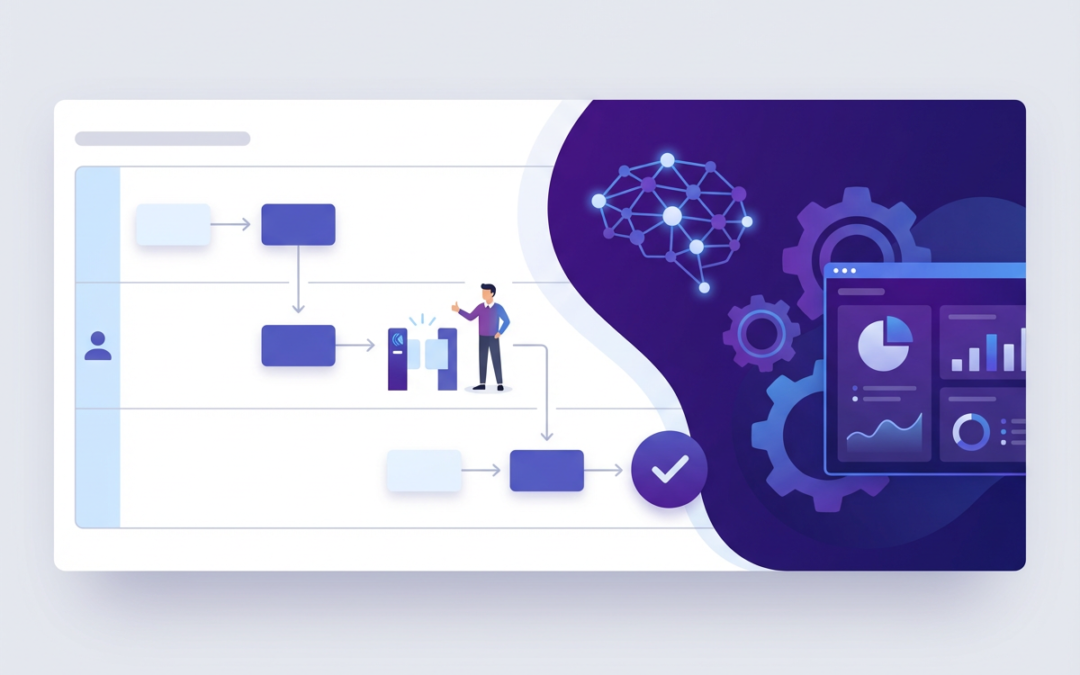
Build AI-Friendly Workflows Without Automating Chaos
AI can absolutely cut costs and speed up delivery. But it only works when applied to a process that is already clear, consistent, and measurable. If you automate a messy workflow, you don’t remove the mess. You scale it.
That’s why “AI transformation” projects so often disappoint. The technology is capable, but the underlying work is full of ambiguity: unclear ownership, missing definitions, undocumented exceptions, and quiet workarounds that only exist in people’s heads.
Process mapping is the fastest way to make that hidden complexity visible. Done well, it turns tribal knowledge into a workflow that can be trained, measured, improved, and, only then, safely automated.
This article walks through four practical foundations for AI readiness:
- Why automating a broken process makes things worse
- How to move from SOPs to AI-friendly workflows
- How to design human-in-the-loop controls
- Process mining vs process mapping (and when you need each)
1) Why does automating a broken process make things worse?
When a process is unclear, people compensate. They use judgment calls, personal preferences, and informal rules to keep things moving. In many organisations, that’s not a sign of laziness; it’s a sign the process has never been properly defined.
AI and automation, however, don’t “fill in the gaps” the way experienced staff do. They follow patterns and rules. If the rules are inconsistent, the outputs will be inconsistent, just faster and at a greater scale.
In practice, automating a broken process tends to create three predictable outcomes. First, errors happen more quickly and in higher volume. Second, exceptions multiply because the automation can’t handle the real-world variants. Third, the team ends up spending more time fixing problems than they did doing the work manually.
Example: Invoice processing
Imagine an accounts team processing supplier invoices.
On paper, the process looks simple: invoice arrives, it’s checked, coded, approved, and paid. In reality, the “rules” are often unwritten. Some invoices go to Accounts Payable, others go to project managers. “Urgent” invoices are flagged differently depending on who receives them. Missing PO numbers are sometimes chased, sometimes ignored, and sometimes “temporarily” worked around.
Now introduce an AI tool to auto-code invoices and route them for approval.
If the organisation hasn’t standardised what “urgent” means or who owns each invoice category, the AI will route based on inconsistent signals. It will misclassify edge cases. It will create a growing queue of exceptions that need manual intervention. The team experiences this as: “AI made it worse.”
The reality is simpler: the AI revealed that the process was never stable. The fix is to map the process first, agree on definitions and routing rules, and only then automate the stable steps.
2) From SOPs to AI-friendly workflows (capturing tribal knowledge)
Most SOPs describe the happy path. They tell you what should happen when everything goes well. But AI readiness requires you to map what actually happens when reality shows up: missing information, unusual requests, conflicting priorities, and judgment calls.
To make a workflow “AI-friendly,” you need to capture four things that SOPs often miss.
First, decision points: where someone chooses between options. Second, inputs: what information is required to make that decision? Third, exceptions: what happens when the inputs are missing or unusual. Fourth, definitions: what key words mean in practice—because terms like “complete,” “approved,” and “urgent” are often interpreted differently across teams.
A practical method: turn judgment into rules
A good mapping workshop doesn’t just ask, “What are the steps?” It asks questions that reveal how people think.
Ask things like: “How do you know this is ready to move on?” “What’s the most common reason this gets sent back?” “If you hired a new starter tomorrow, what would they get wrong in week one?”
Then document the answers in a way that can be used for training and automation:
- The trigger that starts the process
- The entry criteria (what must be true before work begins)
- The decision rules (if/then logic, thresholds, policy rules)
- The exit criteria (what ‘done’ means)
- The exception paths (the top real-world variants)
The goal is not to write a perfect manual. The goal is to reduce ambiguity so the process becomes repeatable.
Example: Customer onboarding (B2B services)
Customer onboarding is a classic “tribal knowledge” process. Experienced staff know which customers need enhanced checks, which industries create higher risk, and what “good documentation” looks like. New starters don’t.
An AI-friendly onboarding workflow makes those judgment calls explicit. It defines risk scoring criteria. It specifies mandatory fields and document checklists. It clarifies what happens when documents are missing or contradictory. It sets escalation triggers, for example, when a customer’s structure is complex or when the service being purchased has regulatory implications.
Once those rules are in place, AI can help in safe ways: summarising documents, checking completeness, drafting emails, and routing cases to the right queue. Without the rules, AI is guessing.
3) Human-in-the-loop design: where AI should stop
The goal isn’t “AI everywhere.” The goal is AI that’s safe and valuable, with humans making decisions when risk, ethics, or customer impact is high.
A useful way to think about this is to separate work into three categories.
The first category is low-risk, high-volume tasks, such as classification, summarisation, drafting, and routing. AI is often excellent here.
The second category is medium-risk decisions for which a policy exists, but exceptions are common. AI can assist, but you want clear quality gates.
The third category is high-impact decisions involving money, safety, legal exposure, or significant customer outcomes. Here, AI should not be the final decision-maker. It can recommend, but a human must approve.
Where humans should stay in control
Keep a human decision (or at least a human quality gate) when the data is incomplete, when the decision has serious consequences, when the outcome requires empathy or negotiation, or when the process has frequent exceptions.
Three control points to map in
In practice, human-in-the-loop design becomes real when you map three control points.
Quality gates define what must be true before work moves forward. They prevent downstream rework.
Escalation paths define who handles edge cases, what “urgent” means, and how quickly decisions must be made.
Audit trails capture what the AI decided, why it decided it, and who approved it. This is essential for accountability and learning.
Example: Refund approvals
Refunds are a great place to use AI carefully. A sensible design might look like this: AI reviews the case, checks the policy, and drafts a recommendation with reason codes and supporting evidence. For low-value refunds that meet clear criteria, the process can be straight-through. For anything above a threshold, or involving repeat complaints, a human approves.
This approach reduces workload while keeping accountability. It also improves consistency, because the policy logic is applied the same way every time.
4) Process mining vs process mapping (and when you need each)
“Process mapping” and “process mining” are often used interchangeably, but they solve different problems.
Process mapping
Process mapping is a human-led model of how work should happen—or how people believe it happens. It’s best for designing a future state, aligning teams on roles and handoffs, capturing decision rules and exceptions, and creating SOPs and training.
Its limitation is that it can miss what actually happens day-to-day, especially when people take shortcuts or work outside the system.
Process mining
Process mining uses event logs from systems like ERP, CRM, and ticketing platforms to show how work actually flows. It’s best for high-volume, system-driven processes that require evidence: bottlenecks, rework loops, variants, and cycle times.
Its limitation is that it won’t capture offline work, judgment calls, or the “why” behind decisions without human input.
When to use which
If the process is unclear, cross-functional, or heavy on judgment, start with process mapping. If the process is high-volume and system-driven, process mining can quickly show what’s really happening. If you want the strongest outcome, use both: map the future state, then mine the data to confirm reality matches the design.
5) A simple AI-readiness checklist (what to map before you automate)
Before introducing AI or automation, you should be able to answer a few basic questions with confidence.
Is there a single process owner accountable end-to-end? Are the inputs defined, including the required data fields and their sources? Are key terms standardised so that different teams interpret them the same way? Are decision rules documented, including thresholds and policy logic? Have you mapped the most common exceptions and agreed on who handles them?
Do you have quality controls and acceptance criteria so “done” is measurable? Are escalation routes clear, including timeframes and roles? And do you have a baseline of performance metrics, cycle time, error rate, rework, and cost per case—so you can prove whether AI improved anything?
If you can’t answer these, the organisation isn’t “AI ready” for that process yet. The good news is that mapping is exactly how you get there.
Key takeaways
AI doesn’t fix broken processes. It amplifies them.
If you want AI to deliver real value, start by reducing ambiguity. Map the process, capture the decision rules, and document the exceptions that drive most of the pain. Then design human-in-the-loop controls to protect quality and accountability.
Finally, remember the difference between mapping and mining. Mapping designs and aligns. Mining measures and reveals reality. Together, they give you a practical path to automation that improves performance rather than creating new problems.
Practical next steps (you can do this this week)
Pick one high-volume, high-friction process—onboarding, invoicing, support triage, order-to-cash. Run a 60–90 minute mapping session focused specifically on decision rules and exceptions, not just the happy path.
Document the top exceptions and agree on escalation owners. Add two quality gates and define what “done” means at each stage. Then, shortlist AI use cases for the stable steps: drafting, classification, routing, summarising, and completeness checks.
If you do those steps in that order, you’ll avoid the most common AI failure mode: automating chaos.